

LIVE STAINED GLASS WORKSHOP
Take your sketch all the way to a buildable pattern
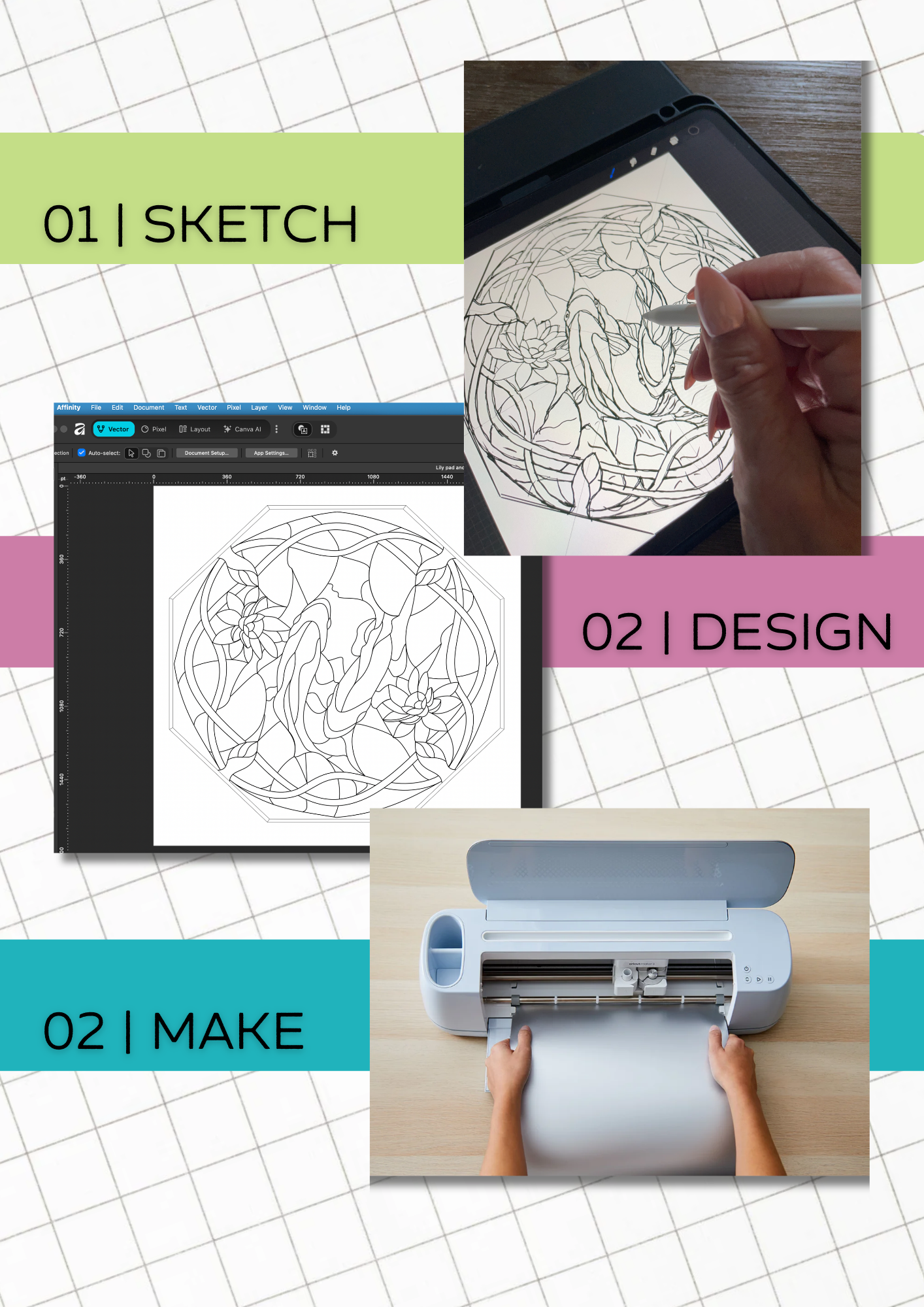
You’ve explored the Digital Stained Glass Design Toolkit. Now work through the actual process with me: sketch first in Procreate or on paper, refine the pattern in Affinity, and prepare it to cut with Cricut
Leave with a repeatable workflow and a pattern you understand how to build.
One idea. Three stages. A pattern you can actually use.
01 / SKETCH
Procreate
Capture the idea and plan pieces that can actually be cut with a traditional glass cutter.
02 / REFINE
Affinity
Build clean vector lines, check shapes, and keep sizing consistent.
03 / MAKE
Cricut + cut
Set up the final pattern at the right size, proper line weight and cut-line spacing.
When an idea sparks, what comes next?
It’s one thing to see the vision. It’s another to know which steps to take, how to keep your pattern accurate and how to move between programs without losing your way.
In this LIVE workshop, I’ll demonstrate my complete process and give you guided time to apply it to your own design.
In this workshop, you’ll learn to …
Turn a sketch into a cartoon that can be cut and built.
Create an adjust clean vector lines in Affinity.
Resize without losing line weight and resolution.
Prepare a properly sized pattern for cutting on the Cricut.
Understand how to set line spacing for copper foil or lead.
Export files you can reuse, and consider what additional preparation is needed if you want to market your patterns.
Workshop Details
What
LIVE online instruction with a guided demonstration and Q&A sessions
Stained glass artists ready to create their own patterns, with no previous graphic design expertise assumed.
Who
A sketch or idea and access to the tools you want to practice with (iPad, Procreate, Affinity). An exact software and device list will be shared before the workshop begins.
Bring
A workable pattern draft and a repeatable path from idea to Master Pattern.
Outcome
Make the pattern you’ve been imagining.
The toolkit introduced the process. The workshop is where we put it all together.
Enrollment details are coming soon. This preview has no checkout link until the workshop details are finalized.